
Worldbuilding: Local Area Design
by Joe Wetzel
[If you like this article, check out the other Worldbuilding articles on this website, particularly the Fantasy Religion Design Guide articles.]
The quickest approach to creating a usable fantasy world is to start with the small, local area where the characters’ initial adventures will occur. Some larger issues must still be considered such as how the local area will fit into the culture, terrain and climate of the surrounding area or some broad points about religion or gods that may be important to some characters, but with this approach the time spent on those issues can be minimized.
However, if you have a great concept for one of these larger issues or one of them will play a major role in the early stages of your campaign, you should consider detailing the other concept first or in depth and in tandem with the local area. An article is available here on designing fantasy religions and an example is also available.
What is needed in the local campaign area? Since this area will usually be used for the first few adventures (the characters may move on to bigger things later) the characters will need:
- A place to rest, somewhat safely.
- A way to train/gain spells/pray/etc.
- A source of adventure hooks.
- Interesting people to run into.
- A place to buy equipment.
- A place to adventure.
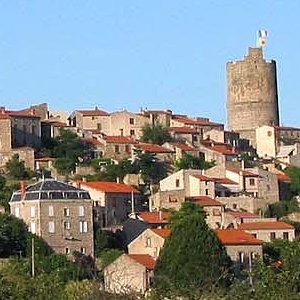 There are several home bases that can satisfy these requirements: a village, a town, an outpost, a manor or a city. Each of these options is well suited for a number of different types of stories or campaigns. The following are definitions for each location type:
- Hamlet: A small number of simple homes grouped together. The residents usually engage in the same profession, typically farming or fishing.
- Village: Like a hamlet but slightly larger. It will have at least one stone building (usually a church) but it may also have an inn, blacksmith or general store.
- Manor: The home of a minor noble. A hamlet or a village may be on the noble’s lands and the residents owe fealty to the noble.
- Town: A community large enough to support more than one major industry. It might be a farming village with a nearby mine for example. The community is also capable of supporting several tradesmen such as leather workers, specialist smiths, etc.
- City: A much larger community with several active industries. It may also have some monuments or claim to fame. (A major library, palace, etc.)
- Outpost: A military encampment used as a defensive point or a base for offensive actions. Depending on the outpost’s age and number of troops a village or town may be nearby or incorporated by the outpost.
Terrain and Climate
Races and Cultures
Technology and Communication
Governments, Population Size and Military Issues
Settlements
NPCs and Creatures
Fantasy Elements
Throughout the local area design process it is important to include fantasy elements as you can think of them. Perhaps the village is built into the side of a cliff or a small town is suspended in the trees or a major building is built from a dragon skeleton or a local spring has supernatural powers. These features remind the players they are in a fantasy world and make your setting more distinctive.
References/Further Reading:
- “Dungeoncraft” by Ray Winninger, Dragon magazine #260, Wizards of the Coast.
- “Dungeoncraft” by Ray Winninger, Dragon magazine #261, Wizards of the Coast.
- World Builder’s Guidebook by Richard Baker, TSR 1996.
Also check out Gary Gygax’s Nation Build and World Build books.
Your Main site says that cities and towns may be generated w/ Hexographer using “map items.” I saw no button, drop-down or command w/ map items. I need a quick, fairly custom city map for an upcoming con.
You’re right. You can add buildings using the “Other Items” tab on the far right.
Although if you want something very quick and random and you run windows, you can try this:
http://inkwellideas.com/worldbuilding/roleplaying-city-map-generator/
(I’m hosting it, but I didn’t write it.)
Is that only available in the Pro version? I see no such tab in the Free version. In fact, I see no tabs! There are links across the top of the web page, but I see no tabs and nothing marked “Other Items.” I fiddled with that generator last night (and it’s a nifty little utility). I have until the end of May and my city is on a headland between an inner sea and a strait. I could always use crayons, but a little more creative control would be nice.
So, Joe, what am I missing? Is it something I just don’t seem to see? Incidentally, I just transferred a few bucks into PayPal, but it’ll take days to post. In the meantime, tell me if I’m looking in the wrong place for such a “tab” or what. These old eyes, dull brain and not-so-nimble finger (yes, one!) have a lot of trouble gettin’ around websites these days!
I don’t check all the comments here every day, so you’re better off emailing me (joeXYZwetzel@gmail.com, remove the XYZ) or posting to the Hexographer forum.
When you’re editing a map, to the right of the map are the buttons to select terrain types. To the right of that should be tabs/buttons “Terrain” “Features” “Lines” “Text” and “Other Items.” The free version does have these, although you can only add 5 or 10 (I forget) custom map item types to a map. But you can add any number of copies of those or the default map items.
If you email me or post to the Hexographer forum I can send a screenshot.